@krakentech/blueprint-utils
This is our package of reusable utilities that we've developed for working with the Kraken API. You can install this package via npm with an organisation token - please get in touch if you need one.
API reference
getFirstGraphQLErrorCode
A helper function that returns the first error code from an array of Apollo GraphQL errors.
Import
import { getFirstGraphQLErrorCode } from '@krakentech/blueprint-utils';
Usage
import type { ApolloError } from '@apollo/client';

const errors: ApolloError[] = [
    {
        extensions: {
            errorCode: 'KT-1111',
        },
    },
    {
        extensions: {
            errorCode: 'KT-2222',
        },
    },
];

const firstErrorCode = getFirstGraphQLErrorCode<ApolloError>(errors);
Args
| Name | Description | Type | Default | Required |
|---|---|---|---|---|
errors | Array of errors from which to get the first | T[] | true |
useApolloPagination
A hook to assist with paginating data from Apollo, which while not used in Blueprint anymore, was used in previous versions.
Import
import { useApolloPagination } from '@krakentech/blueprint-utils/client';
Usage
import { useApolloPagination, mergeResults } from '@krakentech/blueprint-utils/client';

const { data, loading, error, fetchMore } = useQuery(QUERY, {
    variables: { accountNumber },
});

const { onLoadMore, hasNextPage } = useApolloPagination({
    fetchMore,
    pageInfo: data.pageInfo,
    mergeData: mergeResults,
});
Args
| Name | Description | Type | Default | Required |
|---|---|---|---|---|
fetchMore | The function that fetches more pages using the apollo client | FetchMoreCallback | true | |
pageInfo | PageInfo | true | ||
mergeData | The function to merge new data into old data | MergeResultsCallback | true | |
variables | Any updated variables | QueryVariables | false |
Returns
| Name | Type | Description | Example |
|---|---|---|---|
onLoadMore | Function | ||
hasNextPage | boolean |
Measurements
Currency
Here are several utils to format currency amounts.
createFormatCurrencyUtils
Creates a format currency utility object with the specified locale and currency.
Import
import { createFormatCurrencyUtils } from '@krakentech/blueprint-utils';
Usage
import { createFormatCurrencyUtils } from '@krakentech/blueprint-utils';

const { formatCurrency, formatCurrencyToMajorUnit } = createFormatCurrencyUtils(
    { locale: 'en', currency: 'GBP' }
);

formatCurrency({ amount: 1.0 }); // '£1.00'
formatCurrency({ amount: 5.0, roundAmount: true }); // '£5'


formatCurrencyToMajorUnit({ amount: 188 })) // '£1.88'
formatCurrencyToMajorUnit({ amount: 100, roundAmount: true }) // '£1'
Args
| Name | Description | Type | Default | Required |
|---|---|---|---|---|
locale | The locale to be used for formatting. See more in Intl | string | "en" | false |
currency | The currency to use in currency formatting. Possible values are the ISO 4217 currency codes. See more in Intl | string | "GBP" | false |
Returns
| Name | Type | Description | Example |
|---|---|---|---|
formatCurrency | Function | A currency formatter | |
formatCurrencyToMajorUnit | Function | Converts and formats a value from a minor unit to a major unit. |
formatCurrency
Converts an amount as a currency string. It supports NumberFormatOptions from Intl.
Import
import { formatCurrency } from '@krakentech/blueprint-utils';
Usage
import { formatCurrency } from '@krakentech/blueprint-utils';

formatCurrency({ amount: 1.0, currency: 'EUR', locale: 'fr' }); // '1.00€'
formatCurrency({ amount: 1.0 }); // '£1.00'
formatCurrency({ amount: 5.0, roundAmount: true }); // '£5'
formatCurrency({ amount: '1.12', minimumFractionDigits: 4 }); // '£1.1200'
Args
| Name | Description | Type | Default | Required |
|---|---|---|---|---|
amount | The amount to be converted | string | number | true | |
roundAmount | Whether to round the amount to the nearest whole number | string | number | false | true |
locale | The locale to be used for formatting. See more in Intl | string | "en" | false |
currency | The currency to use in currency formatting. Possible values are the ISO 4217 currency codes. See more in Intl | string | "GBP" | false |
minimumFractionDigits | The minimum number of fraction digits to use. Takes precedence of roundAmount. See more in Intl | number | 0 | false |
maximumFractionDigits | The maximum number of fraction digits to use. Takes precedence of roundAmount. See more in Intl | number | minimumFractionDigits > 3 | false |
Returns
| Type | Description | Example |
|---|---|---|
string | Formatted result | "10€" |
formatCurrencyToMajorUnit
Converts an amount to its major unit and formats it as a currency string. It supports NumberFormatOptions from Intl.
Import
import { formatCurrencyToMajorUnit } from '@krakentech/blueprint-utils';
Usage
import { formatCurrencyToMajorUnit } from '@krakentech/blueprint-utils';

formatCurrencyToMajorUnit({ amount: 222, currency: 'EUR', locale: 'fr' }); // '2.22€'
formatCurrencyToMajorUnit({ amount: 188 })) // '£1.88'
formatCurrencyToMajorUnit({ amount: 100, roundAmount: true }) // '£1'
formatCurrencyToMajorUnit({ amount: '100', minimumFractionDigits: 4 }); // '£1.0000'
Args
| Name | Description | Type | Default | Required |
|---|---|---|---|---|
amount | The amount to be converted | string | number | false | |
roundAmount | Whether to round the amount to the nearest whole number | boolean | false | false |
locale | The locale to be used for formatting. See more in Intl | string | "en" | false |
currency | The currency to use in currency formatting. Possible values are the ISO 4217 currency codes. See more in Intl | string | "GBP" | false |
minimumFractionDigits | The minimum number of fraction digits to use. Takes precedence of roundAmount. See more in Intl | number | 0 | false |
maximumFractionDigits | The maximum number of fraction digits to use. Takes precedence of roundAmount. See more in Intl | number | minimumFractionDigits > 3 | false |
Returns
| Type | Description | Example |
|---|---|---|
string | The formatted amount | "10€" |
convertMinorToMajorUnit
Converts a value from a minor unit to a major unit.
Import
import { convertMinorToMajorUnit } from '@krakentech/blueprint-utils';
Usage
import { convertMinorToMajorUnit } from '@krakentech/blueprint-utils';

convertMinorToMajorUnit(25); // 0.25
convertMinorToMajorUnit('2'); // 0.02
Parameters
| Description | Type | Default | Required |
|---|---|---|---|
| The amount you want to convert | string | number | true |
Returns
| Type | Description | Example |
|---|---|---|
number | The formatted amount | 0.5 |
convertMajorToMinorUnit
Converts a major unit value to a minor unit value.
Import
import { convertMajorToMinorUnit } from '@krakentech/blueprint-utils';
Usage
import { convertMajorToMinorUnit } from '@krakentech/blueprint-utils';

convertMajorToMinorUnit(25); // 2500
convertMajorToMinorUnit('2'); // 200
Parameters
| Description | Type | Default | Required |
|---|---|---|---|
| The amount you want to convert | string | number | true |
Returns
| Type | Description | Example |
|---|---|---|
number | The formatted amount | 5000 |
getCurrencySymbol
Retrieves the currency symbol for a given currency code. It returns the currency symbol based on the provided locale and currency code.
Import
import { getCurrencySymbol } from '@krakentech/blueprint-utils';
Usage
import { getCurrencySymbol } from '@krakentech/blueprint-utils';

getCurrencySymbol({ locale: 'fr', currency: 'EUR' }); // €
getCurrencySymbol({ locale: 'en', currency: 'GBP' }); // £
Args
| Name | Description | Type | Default | Required |
|---|---|---|---|---|
locale | The locale to be used for formatting. See more in Intl | string | true | |
currency | The currency to use in currency formatting. Possible values are the ISO 4217 currency codes. See more in Intl | string | true |
Returns
| Type | Description | Example |
|---|---|---|
string | The currency symbol | € |
Storyblok
This subpackage contains Storyblok related utils and types, to ease and mutualise integrations.
Api routes
Using Storyblok with Next.js needs specific integrations, especially when it comes to story preview and story revalidation. To get fully integrated with Storyblok, your Next.js must provide specific api routes.
createStoryblokApiRoutes builder function
The createStoryblokApiRoutes exposes required api routes to enable story preview and story revalidation.
Configuration
| Option | Type | Required |
|---|---|---|
| previewSecret | string | yes |
| webhookSecret | string | yes |
| redirectsConfig | RedirectsConfig | no |
Usage
// /lib/storyblokApiRoutes.ts
import { createStoryblokApiRoutes } from "@krakentech/blueprint-utils/storyblok"

export const storyblokApiRoutes = createStoryblokApiRoutes({
    webhookSecret: <your-storyblok-webhook-secret>,
    previewSecret: <your-storyblok-preview-secret>,
})
Preview route
This route is needed to enable preview mode on Storyblok edit view. Read more about previews on Storyblok site
// /pages/api/preview.ts
import { storyblokApiRoutes } from 'lib/storyblokApiRoutes';

export default storyblokApiRoutes.preview;
Exit preview route
This route is needed to exit preview mode when leaving Storyblok edit view. Read more about previews on Storyblok site
// /pages/api/exit-preview.ts
import { storyblokApiRoutes } from 'lib/storyblokApiRoutes';

export default storyblokApiRoutes.exitPreview;
Revalidate route
This route enables story revalidation using Storyblok webhooks. To plug the revalidation route to the storyblok hook, make sure that your api route match the one defined in your hook configuration.
NB: only Story triggers are supported.
// /pages/api/revalidate.ts
import { storyblokApiRoutes } from 'lib/storyblokApiRoutes';

export default storyblokApiRoutes.revalidate;
If you are using the next-redirects lib, we suggest you to provide redirectsConfig option to createStoryblokApiRoutes.
It will ensure that your build redirections are always synched to your Storyblok ones.
// /lib/storyblokApiRoutes.ts
import { createStoryblokApiRoutes } from "@krakentech/blueprint-utils/storyblok"

export const storyblokApiRoutes = createStoryblokApiRoutes({
    webhookSecret: <your-storyblok-webhook-secret>,
    previewSecret: <your-storyblok-preview-secret>,
    redirectsConfig: {
        storySlug: <redirects-config-slug>,
        vercelRedeployWebhookUrl: <your-vercel-redeploy-webhook-url>,
    }
})
Next Redirects
Next redirects allows you to generate a list of redirections to be applied in the next config redirects callback.
Prerequisites
This util needs specific configuration in your Storyblok space in order to work. Please apply the following required steps:
Create a redirect entry nestable block
Create a nestable block called redirectEntry. Inside this block, create required source and destination fields of type Link.
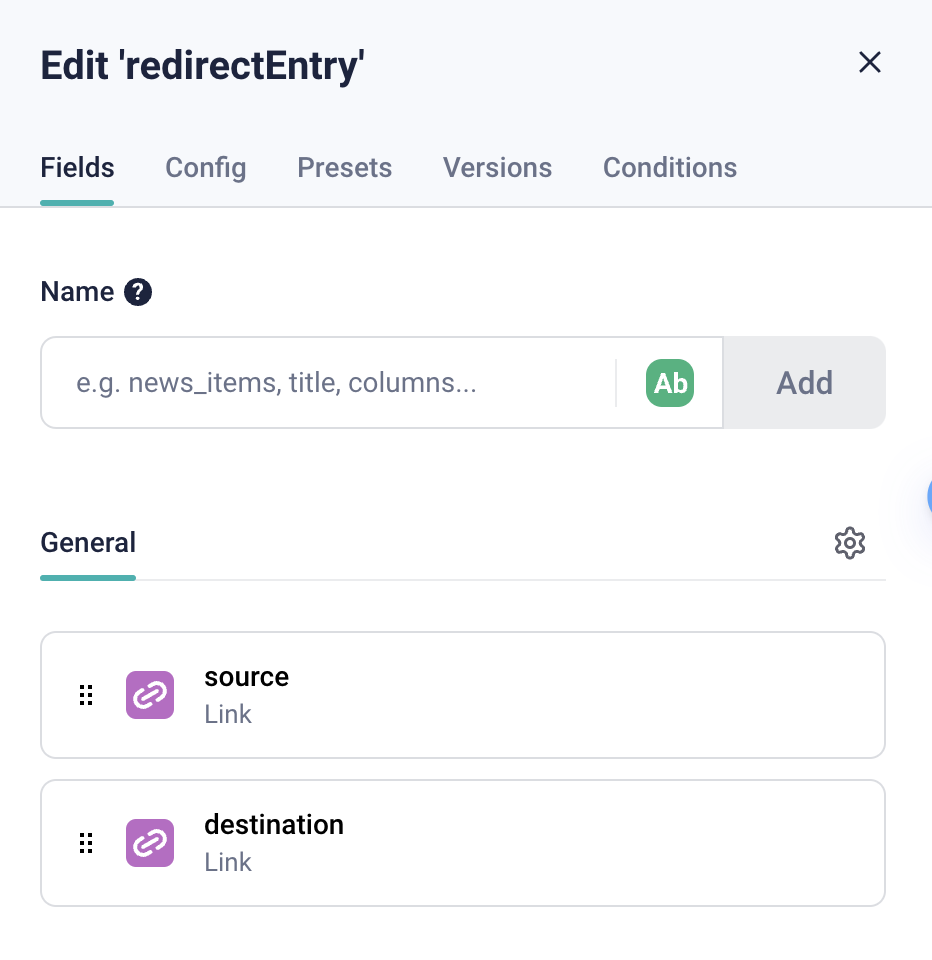
IMPORTANT: Setting the redirect value type to
URLcomes with specific rules:
sourceentry: the value must be a relative pathdestinationentry: the value can be either a relative path or an absolute path with a custom domaine.g: redirecting
www.<your-domain>.com/hellotowww.<your-domain>.com/worldusing URL values can be done with:
sourceset to"/hello"destinationset to"/world"
e.g: redirecting
www.<your-domain>.com/hello2tohttps://<another-domain>.com/worldusing URL values can be done with:
sourceset to"/hello2"destinationset to"https://<another-domain>.com/world"
Create a redirect config content type block
Create a content type block called redirectConfig. Inside this block, create a required redirectEntries of type Blocks.
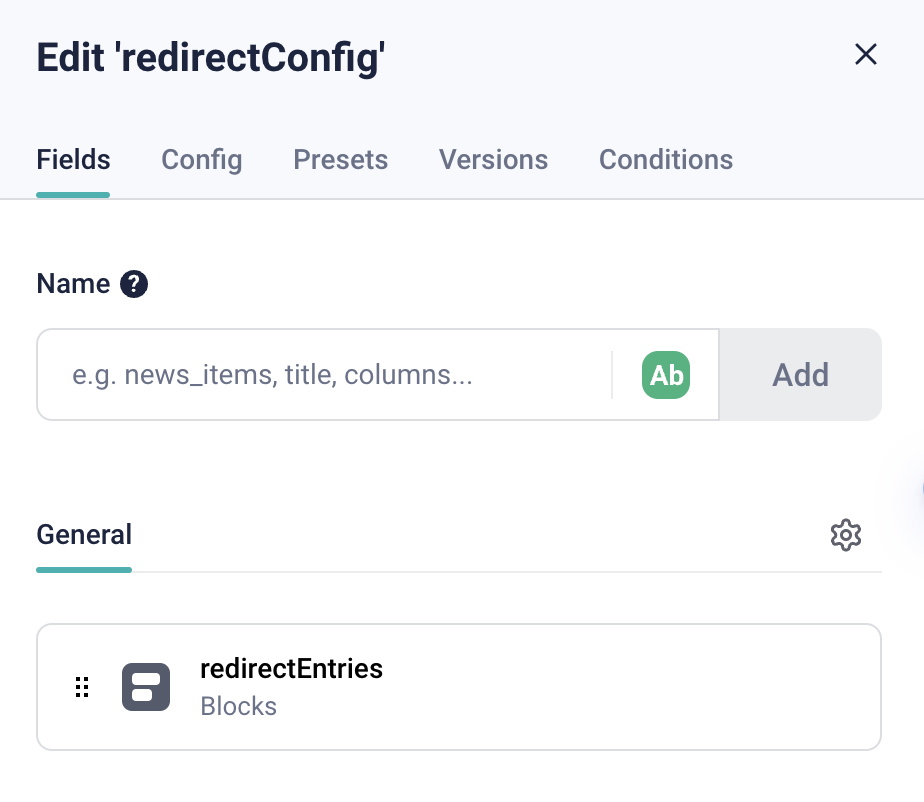
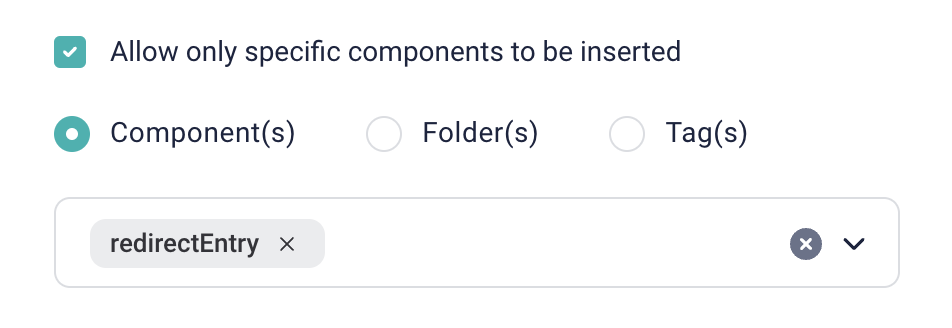
Configure the redirectEntries field to allow redirectEntry components only.
You should now have both redirectEntry and redirectConfig blocks available in your Storyblok space.

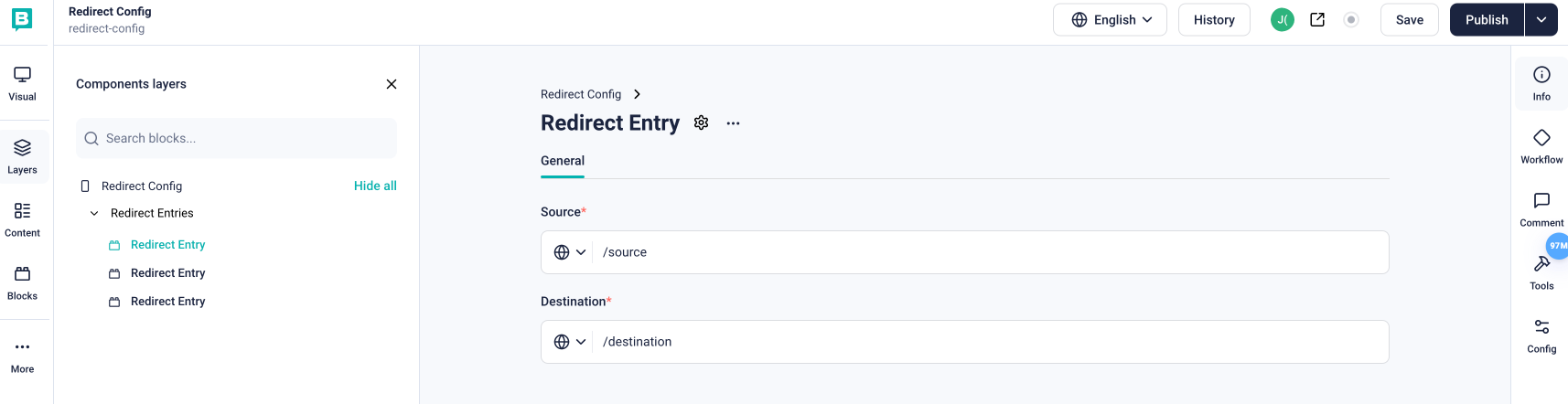
Create a redirect config story
Create a story of type redirectConfig, that will contain your redirects.
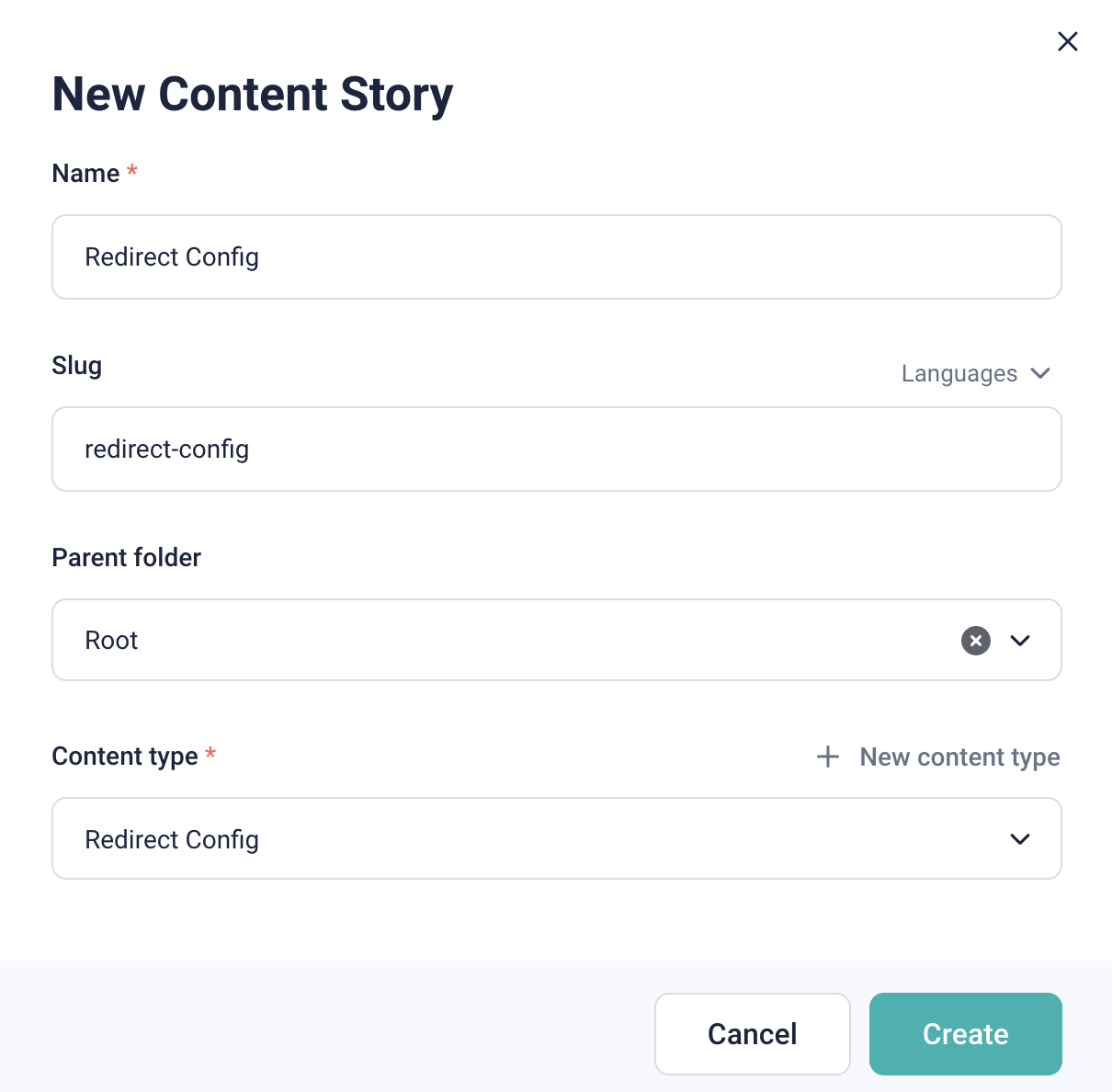
Edit the story and add your redirectEntry components.
StoryblokNextRedirects
| Option | Type | Required | Default value |
|---|---|---|---|
| accessToken | string | yes | |
| storySlug | string | yes | |
| configStoryRedirectOptions | ConfigStoryRedirectOptions | no | { destination: '/404', permanent: true } |
Usage
In your next.config.js file, you can use the StoryblokNextRedirects class to generate the redirects.
import { StoryblokNextRedirects } from '@krakentech/blueprint-utils/storyblok';

const storyblokNextRedirects = new StoryblokNextRedirects({
    accessToken: "<access-token>",
    storySlug: "<redirect-config-story-slug>",
})

const nextConfig = {
    ...,
    async redirects(): {
        const storyblokRedirects = await storyblokNextRedirects.generate()
        return storyblokRedirects
    }
}
Infinite Scroll
For InfiniteScroll docs see here